PesaCast

KSh0.00
Wishlist Compare
Tag :

Description

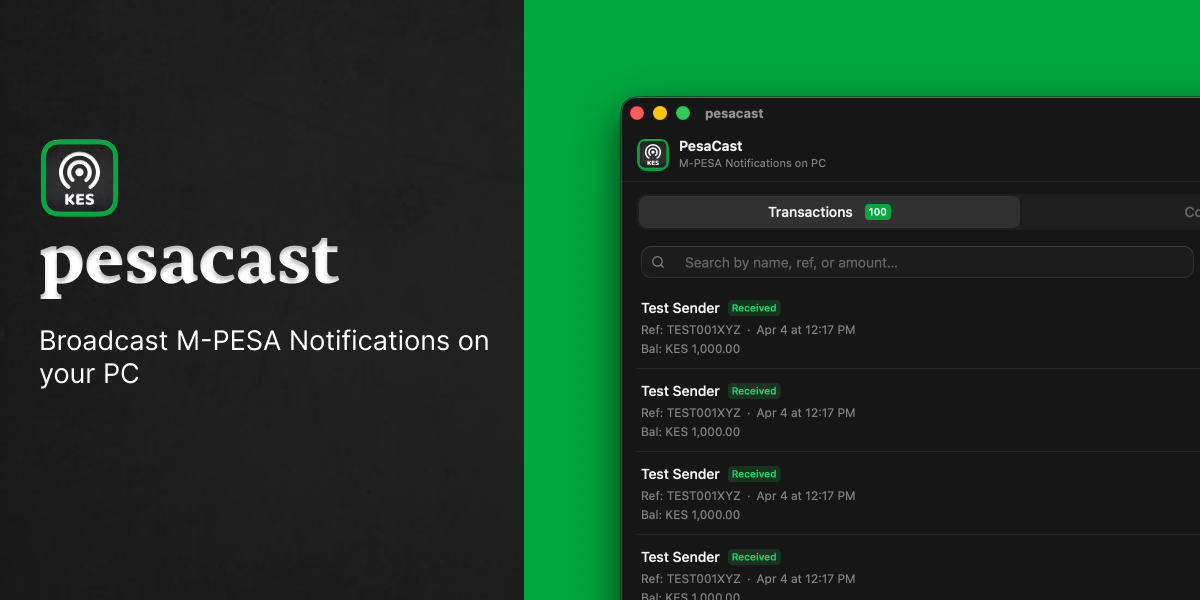
Real-time M-PESA transaction mirroring from your Android phone to your desktop.
PesaCast intercepts incoming M-PESA SMS messages on Android, parses them into structured transaction data, and streams them live to a companion desktop app over Bluetooth LE.

Product Features

– Real-Time M-PESA Mirroring – Automatically captures incoming M-PESA SMS transactions and sends them to your desktop in real time.

-Automatic Transaction Parsing – Converts M-PESA messages into structured transaction data.

-Android Companion App – Runs in the background and monitors M-PESA transaction messages.

– Bluetooth LE Connectivity – Transfers transactions from Android to desktop without requiring internet.

– Live Desktop Transaction Feed – Displays incoming M-PESA transactions instantly.

– Desktop Notifications – Alerts you whenever a new transaction is received.

-Multiple Transaction Types – Supports received, sent, PayBill, Buy Goods, and withdrawal transactions.

-Automatic Background Operation – Continues running in the background and can start automatically after boot.

– Cross-Platform Desktop App – Built with Tauri, React, and TypeScript.

– Structured Transaction Data – Provides consistent transaction data for further processing and integrations.

Tech Stack

Frontend & Desktop
Framework: React / Next.js

Desktop Wrapper: Electron / Tauri (cross-platform desktop integration)

Styling: TailwindCSS

State Management: Zustand / React Query

Mobile (Android/iOS Listener App)
Framework: React Native / Expo (or Native Android for M-PESA SMS / notification broadcast listeners)

Language: TypeScript / JavaScript

Backend & Real-Time Engine
Runtime: Node.js (TypeScript) / Express or Fastify

Real-Time Layer: WebSockets (socket.io / native WS) for low-latency transaction event broadcasting

Data Store: SQLite (local / embedded) or PostgreSQL / Redis (for hosted event queuing)

Tooling & Infrastructure
Build Tools: Vite / Turbopack

Security & Auth: JWT, API Key Middleware, Encryption utilities

Deployment/Distribution: Vercel (Web dashboard) & GitHub Releases / Native Installers (Desktop & Mobile

How To Install

================================================================================
PESACAST SETUP GUIDE
================================================================================

PREREQUISITES
——————————————————————————–
* Node.js (v18 or higher recommended)
* npm, yarn, or pnpm
* Git installed

STEP 1: CLONE THE REPOSITORY
——————————————————————————–
Open your terminal and run:

git clone https://github.com/davidamunga/pesacast.git
cd pesacast

STEP 2: INSTALL DEPENDENCIES
——————————————————————————–
Run one of the following commands:

npm install
# or
yarn install

STEP 3: CONFIGURE ENVIRONMENT VARIABLES
——————————————————————————–
Copy the template configuration file:

cp .env.example .env

Open the `.env` file in your text editor and fill in your details:
* Webhook URLs
* Database connection string
* M-Pesa API credentials / Sandbox keys
* Server Port

STEP 4: INITIALIZE DATABASE (IF APPLICABLE)
——————————————————————————–
If the project relies on a database schema (e.g., Prisma/SQLite):

npm run db:push
# or
npx prisma db push

STEP 5: START THE DEVELOPMENT SERVER
——————————————————————————–
Launch the application locally:

npm run dev

Access the running server via your browser or API client:
http://localhost:3000 (or http://localhost:5000 based on your .env)
================================================================================


Reviews

There are no reviews yet.

Be the first to review “PesaCast”

Your email address will not be published. Required fields are marked *

Loading...